

The original never leaves
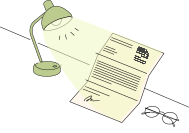
The paper letter, its photos, wet-ink signature, and hidden metadata stay on your desk and on your device — always.
Coming in November for Apple devices and Android
Turn complex notices into plain explanations, deadline reminders, actionable checklists, and German reply drafts. Text recognition and privacy redaction run 100% on-device.
GET THE APP

A guided product walkthrough
Follow a two-page insurance letter from import and redaction to sources, reminders, and a reviewed reply.
Privacy before assistance
From paper letter to AI-ready text in four on-device stages. Photos, signatures, and metadata never leave your device — only text you reviewed and approved moves forward.
The paper letter, its photos, wet-ink signature, and hidden metadata stay on your desk and on your device — always.
Point your phone at the letter. Text recognition runs entirely on-device, turning paper into private, editable text in seconds.
A calm review sheet puts you in charge: switch protection on or off per category and add names or phrases of your own before anything continues.
When you ask for help, the AI sees just your reviewed, redacted text and your own draft edits — never photos, signatures, or original PDFs.
Sensitive personal details stay strictly on your phone, blacked out before any AI analysis begins:
German tax IDs (Steuer-ID) and regional tax numbers.
Pension insurance numbers (SVNR) and social welfare IDs.
Statutory health insurance numbers (KVNR) across public insurers.
Bank account numbers, IBANs, and financial identifiers.
German identity card, passport, and residence permit numbers.
Full residential and mailing addresses with postal codes.
Physician and medical practice registration numbers.
Recipient names, recipient titles, and personal contact lines.






Frequently asked questions
No: original camera photos, scans, wet signatures, and raw image files remain 100% on your device and are never uploaded to any cloud server. Text recognition (OCR) and sensitive data redaction run entirely on your phone’s local neural hardware. When you choose to use AI assistance, only the text you personally review and confirm—with all sensitive details blacked out—is transmitted over an encrypted connection.
NaKlar prepares a formal German reply tailored to your intent, lets you ask for changes (e.g. request an extension, adjust tone, or add specific facts), and ensures you always review, edit, and send it yourself from your own email client. The app writes formal administrative German (Behördendeutsch) alongside a side-by-side translation in your language. Tapping 'Open in Mail' opens your own email app (Apple Mail, Gmail, Outlook) with your draft body and formal subject line ready to review—NaKlar never sends mail autonomously.
NaKlar supports six languages at launch—German, English, Arabic, Turkish, French, and Spanish—with native right-to-left (RTL) interface for Arabic. You can read document summaries, checklists, and quote verifications in your native language, while all outgoing reply drafts are written in formal German.
Yes: in the app settings, you have two choices: Google Gemini (USA) and Mistral AI (France, EU-based). You decide which model processes your requests, with no hidden fallback to the other provider.
No: reminders are notifications on your device, with no calendar account or sync involved. NaKlar finds response deadlines, payment due dates, and appointments in the text of your letter. When you set a reminder for a deadline, you choose when it arrives: on the day, 1 day before, 3 days before, or 1 week before. Your deadlines and document details stay on your device.
Every explanation, deadline, and payment figure is tied to quotes from your letter through the dedicated 'Sources' feature. When you tap 'Sources', NaKlar highlights the exact sentence and line on your original page, so you can check every statement against the original German text with your own eyes.
NaKlar is designed for standard official letters from German public institutions: statutory health insurers (TK, AOK, Barmer, DAK), social welfare agencies (Jobcenter, Bundesagentur für Arbeit), pension insurance (Deutsche Rentenversicherung), the tax office (Finanzamt / ELSTER), the broadcasting fee service (Beitragsservice), and municipal offices (Bürgeramt, Ausländerbehörde).
No: NaKlar is an intelligent translation, document organization, and drafting tool, not a law firm or legal advice provider. It helps you decode bureaucratic language, organize your paperwork, and prepare formal letters, but does not provide legal counsel (Rechtsberatung) under the German Legal Services Act (RDG). For contested legal claims, court proceedings, or binding legal assessments, always consult a licensed attorney (Rechtsanwalt) or recognized advice agency.
Yes: NaKlar is free to start, with 10 AI actions, 25 imports a month, and documents of up to 5 pages. No credit card and no automatic renewal, and you don’t need an account to start.
Like having your own assistant by your side. Keep your paperwork organized, understand every document in plain language, and reply with complete confidence.
Launching in November